
Essential Tools for Aspiring Mangakas in 2025: Complete Setup Guide
Everything you need to start creating manga professionally. From workspace setup to software, build your complete mangaka toolkit.
Creating professional-quality manga requires more than artistic talent—it demands proper tools, workspace, and software. Whether you’re building a traditional drawing setup or transitioning to digital, understanding available tools and making informed selections ensures efficient workflow and optimal results. This comprehensive guide covers everything aspiring mangaka need to establish a complete creation toolkit.
Workspace Setup: The Foundation of Productivity
Before acquiring specific tools, establish an appropriate workspace. Your environment dramatically impacts productivity, comfort, and output quality.
Desk and Workspace Essentials
Drawing desk: A proper drawing surface is non-negotiable. Manga professionals typically use desks with adjustable angles (tilting from horizontal to nearly vertical positions). Tilting reduces back strain and improves perspective accuracy compared to flat desks.
Standard artist desks range from simple tilting boards ($50-150) to professional-grade drafting tables ($300-1000+). The investment pays dividends in comfort and long-term health. Your back and wrists will thank you after years of professional work.
Desk height matters. Standard office desk height (29-30 inches) works for some; others prefer slightly lower heights (26-28 inches) for drawing. Test different heights if possible, as improper height creates repetitive strain injuries.
Drawing surface: What you actually draw on directly impacts work quality. Professional manga artists typically use smooth bristol board, hot-press illustration board, or specialized manga paper that holds ink well.
Smooth surfaces enable fine line detail essential for manga. Rough surfaces diffuse ink and complicate fine work. Experiment with different papers to find what feels comfortable; most professionals prefer smooth surfaces despite being slightly more challenging to control.
Lighting: Proper lighting is essential for extended work sessions and accurate value assessment. Poor lighting causes eye strain and makes it difficult to see subtle tonal differences.
Professional setups include:
- Full-spectrum desk lamp (5000K color temperature mimics daylight)
- Multiple light sources preventing harsh shadows
- Adjustable brightness for different work phases
- Position light from the left (for right-handed artists) or right (for left-handed) to avoid casting shadows on work
Investing $50-150 in proper lighting saves thousands in potential eye strain and vision problems over a career.
Chair: A quality ergonomic chair supports proper posture during extended work sessions. Drawing requires extended periods of sitting; poor chairs cause back pain and reduced productivity.
Characteristics of good artist chairs:
- Height adjustment capability
- Back support maintaining natural spine curve
- Armrest support (adjustable if possible)
- Breathable fabric preventing overheating during long sessions
- Mobility for repositioning without standing
Investment in proper ergonomics prevents cumulative injury. Budget $200-500 for a quality artist chair.
Traditional Tools Starter Kit
If you prefer working traditionally (paper and ink), you need specific supplies.
Essential Traditional Drawing Tools
Pencils: Manga sketching typically uses HB or 2H pencils. HB is softer and darker, creating visible guidelines; 2H is harder and lighter, creating subtle guidelines for inking without requiring heavy erasure.
Most professionals use mechanical pencils (.5mm or .7mm) for consistency. They hold point better than wooden pencils and allow finer detail work. Brands like Staedtler and Rotring produce professional-grade mechanical pencils ($5-20 per pencil).
Erasers: Quality erasers are crucial. Poor erasers smudge graphite without removing it or damage paper through excessive rubbing.
Professional choices include:
- Kneaded erasers: Moldable rubber allowing targeted erasing without damaging paper
- Vinyl erasers: Firmer erasers for larger erased areas
- Electric erasers: For removing large areas without finger fatigue
- Eraser pencils: Thin erasers for detailed removal
Keep multiple eraser types for different applications.
Rulers and straightedges: Manga requires many straight lines (panel borders, perspective lines, speed lines). Quality rulers prevent wobbly lines.
Essential rulers include:
- Metal straightedge (12-18 inches)
- Triangles (45-45-90 and 30-60-90)
- T-square for panel construction
- Flexible curves for curved lines
Invest in metal rulers; plastic rulers bend and create inconsistent lines.
Inking supplies:
Ink: Professional manga uses india ink (black waterproof ink) applied with brushes or pens. Quality inks include Pelikan, Winsor & Newton, and FW India Ink. Cheap inks often have poor flow and coverage.
Brushes: Traditionally, manga artists use Japanese calligraphy brushes or specialized manga brushes. Common sizes are medium (for general linework) and fine (for detailed lines). Natural hair (sable, goat) brushes hold ink better than synthetic brushes, though quality synthetics have improved.
Invest in 2-3 quality brushes ($10-30 each) rather than many cheap brushes. Quality brushes last years with proper care.
Dip pens: Alternatives to brushes include technical pens and dip pens. Micron pens offer consistent line weight but limit line variation. Dip pens with interchangeable nibs provide versatility.
Many professionals combine tools: brushes for thick, varied linework and pens for consistent detail lines.
Paper and surfaces: Manga requires smooth paper holding ink without bleeding. Professional papers include:
- Hot-press illustration board
- Bristol board (smooth surface)
- Japanese manga paper
- Drawing paper specifically designed for ink
These papers cost $1-3 per sheet. Budget accordingly for your practice and production work.
Screentone supplies: Traditional screentone involves adhesive-backed sheets you cut and apply. Common brands include:
- Deleter screentone: Japanese brand, excellent quality
- Letraset screentone: Professional quality though more expensive
- Manga Studio screentone: Affordable, decent quality
Screentone sheets typically cost $1-3 per sheet depending on type. Building a comprehensive screentone library (various densities and patterns) requires significant investment ($50-200 initial investment).
Screentone tools include:
- Sharp X-acto knife for cutting
- Bone folder for burnishing (pressing tone onto artwork)
- Cutting mat protecting surfaces
- Metal ruler for straight cuts
Traditional Tools Budget
A complete traditional setup costs:
Entry-level ($200-400): Basic mechanical pencils, erasers, rulers, india ink, brushes, quality paper, and some screentone sheets. Sufficient for learning but limiting for extensive production.
Mid-level ($500-1000): Proper desk, good chair, complete tool collection, quality paper stock, professional screentone library, and lighting. Supports serious hobbyist or semi-professional work.
Professional ($1000-3000+): Premium desk, ergonomic chair, complete professional-grade tool collection, extensive screentone library, professional lighting, and paper stock. Supports full-time professional work.
Digital Tools Starter Kit
Digital creation has become increasingly standard for manga production. Digital workflow offers speed, flexibility, and non-destructive editing compared to traditional methods.
Essential Digital Hardware
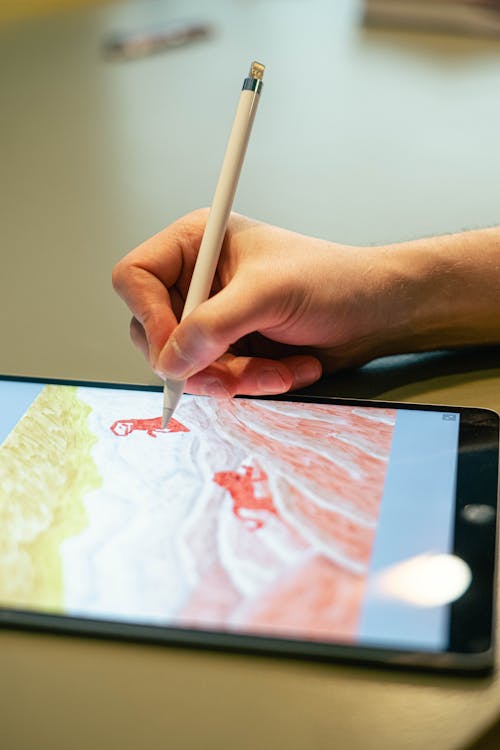
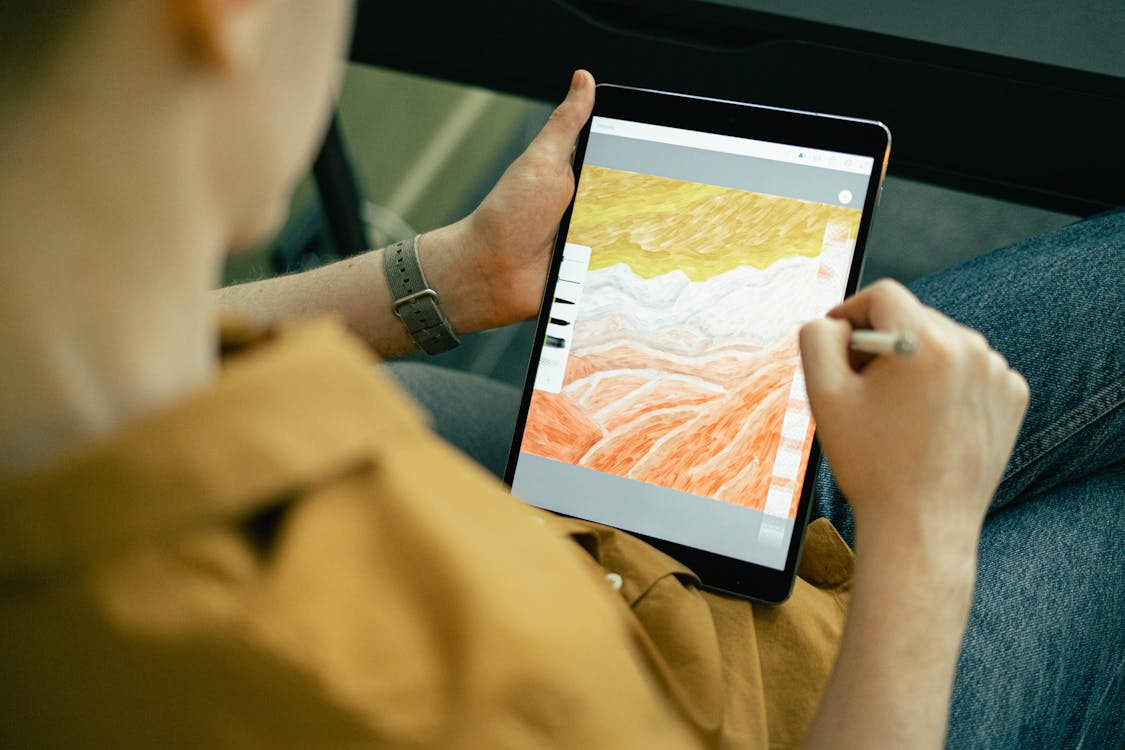
Drawing tablet: A drawing tablet is essential for digital manga creation. Options include:
Display tablets (pen displays): Screen-based tablets where you draw directly on the display. Wacom Cintiq, XP-Pen Artist, and similar models provide direct visual feedback but cost $300-2500+. The visual feedback makes learning easier and workflow more natural.
Non-display tablets (pen tablets): You draw on a tablet surface while watching a monitor. Wacom Intuos, XP-Pen Deco, and similar cost $50-300. Learning curve is steeper (hand-eye coordination between tablet and screen takes adjustment) but they’re more affordable and portable.
For serious manga production, most professionals prefer display tablets despite higher cost. The comfort and efficiency justify the investment for daily work.
Key specifications for manga tablets:
- Resolution sufficient for detail work (at least 1280x800)
- Pressure levels (2048 or higher allows subtle shading control)
- Responsive, low-latency input (input delay frustrates artists)
- Build quality ensuring durability for daily use
Budget $300-800 for a quality beginner display tablet.
Computer: Digital manga creation requires a capable computer. Minimum specifications include:
- Processor: Modern multi-core processor (8th gen Intel i5 or equivalent AMD)
- RAM: Minimum 8GB (16GB preferred for smooth performance)
- Storage: SSD with 256GB minimum (manga files are large)
- GPU: Dedicated graphics card helps with software performance
Both Mac and Windows work for manga creation. Most professionals use Windows due to better software compatibility and cost, but Macs work equally well.
Budget $800-2000 for a capable desktop or laptop suited to digital art.
Monitor: A quality monitor shows accurate colors and tonality critical for manga toning. Display requirements include:
- Size: 24-27 inches minimum (allows comfortable viewing of full manga pages)
- Resolution: 1920x1080 minimum (higher resolution preferred)
- Color accuracy: IPS or high-quality VA panel (TN panels show poor color accuracy at angles)
- No significant color shift (important for professional toning)
Many artists use dual monitors: one for work (manga page), one for reference material or tools.
Budget $200-500 for a quality monitor.
Essential Digital Software
Clip Studio Paint: The industry-standard manga software, used by professional manga artists and studios worldwide.
Features specifically designed for manga:
- Extensive screentone library (hundreds of patterns, densities, angles)
- 3D models for perspective and pose reference
- Comic and manga-specific tools
- Professional-grade drawing engine
- Extensive material library and community support
Pricing: One-time purchase ($50 for basic version) or subscription ($4.49/month). Most professionals consider this the essential investment for digital manga.
Procreate: Popular on iPad for illustration and painting. While excellent for general digital art, it lacks manga-specific tools compared to Clip Studio Paint. Some manga artists use Procreate for initial sketches and coloring, then export to Clip Studio for toning.
Pricing: One-time purchase ($12.99 on iPad). Works only on iPad.
Photoshop: While not manga-specific, many professionals use Photoshop alongside specialized manga software. It excels at effects, color work, and complex editing.
Pricing: Subscription ($20.99/month). Powerful but not essential for manga creation.
GIMP: Free open-source alternative to Photoshop. Capable but more cumbersome for manga production without specialized plugins.
Medibang Paint: Another specialized manga software with screentone features. Less industry-standard than Clip Studio but more affordable.
Pricing: Free version available; premium features require subscription ($4.99/month).
Krita: Free, open-source digital painting software increasingly popular for manga and comics. Improved significantly and offers genuine manga-specific tools.
Pricing: Free. Excellent value though less industry-standard than Clip Studio.
Digital Tools Budget
A complete digital setup costs:
Entry-level ($400-700): Budget drawing tablet, basic computer, free or affordable software (Krita, GIMP). Sufficient for learning digital art.
Mid-level ($1200-2000): Quality non-display tablet, capable computer, Clip Studio Paint. Supports serious hobbyist or semi-professional work.
Professional ($2500-5000+): Display tablet, powerful computer, Clip Studio Paint, dual monitors, peripherals. Supports full-time professional production.
Software Comparison: Detailed Analysis
Choosing between major manga software impacts workflow and capabilities. Here’s detailed comparison:
Clip Studio Paint vs. Procreate
Clip Studio Paint Advantages:
- Screentone library specifically designed for manga
- 3D models for perspective and anatomy reference
- Comic/manga-specific features
- Desktop and iPad versions (cross-platform workflow)
- Industry standard (preferred by professional studios)
- Extensive customization and plugins
Clip Studio Paint Disadvantages:
- Steeper learning curve than Procreate
- Can be resource-intensive on older computers
- Subscription model less appealing to some
Procreate Advantages:
- Intuitive interface, easier to learn
- Excellent painting and illustration capabilities
- Responsive, smooth on iPad
- Lower cost entry ($12.99)
- Excellent for color work
Procreate Disadvantages:
- iPad-only (no desktop version)
- Limited screentone options compared to Clip Studio
- Fewer manga-specific tools
- Less industry standard for manga production
Verdict: For serious manga production, Clip Studio Paint is the professional choice. For general digital illustration or iPad-focused work, Procreate excels.
Clip Studio Paint vs. Photoshop
Clip Studio Paint Advantages:
- Manga-specific tools
- Screentone library
- Lower cost
- Simpler learning curve for artists (not photographers/designers)
- Comic/manga templates
Clip Studio Paint Disadvantages:
- More limited for color work
- Smaller tool ecosystem than Photoshop
- Less powerful for complex editing
Photoshop Advantages:
- Industry standard for design and photo work
- Powerful editing capabilities
- Extensive plugin ecosystem
- Better for color manga
Photoshop Disadvantages:
- Overkill for manga production
- Expensive subscription
- Steeper learning curve
- Screentone requires manual setup or plugins
Verdict: Most professional mangaka choose Clip Studio Paint. Photoshop supplements specialized software for color work but isn’t necessary for black-and-white manga.
Reference Materials and Learning Resources
Professional tools aren’t just hardware and software—reference materials accelerate learning and improve output quality.
Essential Reference Materials
Anatomy books: Understanding human anatomy improves character drawing immensely. Essential books include:
- “Figure Drawing for All It’s Worth” by Andrew Loomis (classic)
- “Anatomy for the Artist” by Sarah Simblet (modern, detailed)
- Japanese anatomy books: “The Anatomy of Manga” series
Building anatomy knowledge through drawing practice and study before attempting professional work prevents fundamental flaws.
Perspective guides: Manga frequently uses dramatic perspective angles. Understanding perspective prevents warped panels and confusing spatial relationships.
Books like “Drawing on the Right Side of the Brain” and “Perspective Made Easy” provide practical perspective techniques.
Manga-specific resources: Books analyzing professional manga breakdown story structure, paneling, and visual storytelling. These teach industry-standard approaches.
Online Learning Resources
Platforms like Skillshare, Udemy, YouTube, and Patreon offer instruction from working professionals. Many professional mangaka share techniques and insights through online courses.
Platforms like Line Webtoon and Tapas let you study professionally published webcomics analyzing successful visual storytelling approaches.
Budget Options for Beginners
Creating professional-quality manga doesn’t require spending thousands immediately. Strategic budget approaches allow quality work while spreading costs:
Month-by-Month Budget Approach
Month 1-2 ($100-150): Invest in quality pencils, erasers, rulers, and paper. Focus on sketching fundamentals without major equipment investments.
Month 3-4 ($150-300): Add quality brushes, india ink, and initial screentone sheets. Practice inking and toning techniques.
Month 5-6 ($200-400): Purchase drawing tablet and basic digital software (free alternatives or affordable options). Experiment with digital workflow alongside traditional work.
Month 7-12 ($400-800): Evaluate which workflow suits you best, then invest in quality tools for your chosen method. If digital appeals, upgrade to better tablet or display tablet. If traditional appeals, invest in quality desk and chair.
This approach lets you explore different methods before committing large resources, discover your preferences, and build skills progressively.
Professional Upgrades Over Time
Professional tools aren’t purchased all at once. Established artists gradually upgrade as budgets and needs evolve:
Year 1: Entry-level complete setup Year 2-3: Hardware upgrades (better tablet, computer) Year 3-5: Workspace improvements (professional desk, lighting) Year 5+: Premium tools (high-end tablet, professional desk, extensive material libraries)
This gradual approach is realistic and allows financial sustainability.
Digital vs. Traditional: Making Your Choice
Many aspiring mangaka struggle deciding between digital and traditional creation. Both produce professional results; the choice depends on personal preference and workflow.
When Traditional Works Best
- You prefer tactile feedback of pen and paper
- You want authentic screentone application experience
- Your budget is initially limited (some traditional tools are cheaper)
- You work best with organic, imperfect results
- You’re comfortable with correction challenges
When Digital Works Best
- You prefer flexibility and non-destructive editing
- You work under time pressure (digital is faster for most)
- You want unlimited undo capability
- You prefer perfect consistency across pages
- You’re comfortable with learning software
- You work on multiple projects simultaneously
Many professionals combine approaches: traditional sketching and inking, digital toning and effects. This hybrid approach combines strengths of both methods.
Transition Path from Traditional to Digital
Many professionals began traditionally and transitioned to digital:
- Master fundamental drawing skills traditionally
- Learn traditional inking and toning thoroughly
- Begin experimenting with digital tools while continuing traditional work
- Gradually increase digital proportion
- Eventually transition fully digital while retaining traditional knowledge
This path maximizes learning and prevents weak fundamentals. Understanding traditional techniques deeply improves digital work even when working entirely digitally.
Building Your Recommended Learning Path
For complete beginners, this progression optimizes skill development and tool investment:
Phase 1: Fundamentals (3-6 months)
- Focus: Anatomy, perspective, and basic drawing
- Tools: Quality pencils, erasers, paper
- Investment: $200 maximum
Phase 2: Traditional Production (6-12 months)
- Focus: Inking techniques, traditional toning
- Tools: Brushes, ink, screentone sheets
- Investment: $400-700
Phase 3: Digital Exploration (3-6 months)
- Focus: Learning digital workflow, software
- Tools: Entry-level drawing tablet, Clip Studio Paint
- Investment: $500-800
Phase 4: Professional Development (ongoing)
- Focus: Speed, consistency, professional standards
- Tools: Upgrade hardware and software based on workflow
- Investment: $1000+ annually
This path allows skill development alongside gradual tool investment, preventing expensive purchases before determining what actually works for you.
Maintenance and Tool Care
Professional tools require care maintaining their quality and longevity.
Brushes: Rinse immediately after use with clean water. Never let ink dry in brushes—dried ink permanently damages bristles. Store bristle-end up in a jar, preventing bristle bending.
Pens: Cap immediately after use preventing ink evaporation and nib damage. Clean nibs occasionally if they accumulate buildup.
Tablets and computers: Keep equipment clean, dust-free, and protected from extreme temperature or humidity. Use tablet cases when transporting equipment.
Digital files: Maintain organized file structure and regular backups. Losing months of work to hard drive failure is tragic. Use cloud backup or external drives.
Conclusion
Building your complete mangaka toolkit involves understanding available options, making informed selections matching your needs, and investing strategically. Whether you choose traditional, digital, or hybrid approaches, proper tools and workspace dramatically impact productivity and output quality.
Start with fundamentals—quality basic tools supporting skill development. Upgrade gradually as you determine your workflow preferences and identify where additional investment yields greatest returns. Most importantly, remember that tools support skill; they don’t replace it. Perfect tools in unskilled hands produce poor work. Invest in practice and skill development above all else.
For detailed information about professional drawing techniques, check out our resource on best drawing tablets for manga. To explore specific equipment choices, visit our guide on manga drawing tools. For comprehensive understanding of workflow choices, explore our comparison of digital versus traditional manga creation. And to start your complete mangaka journey, visit our becoming a mangaka guide.
The tools await. Now start creating.
Related Articles
6 Best Drawing Tablets for Manga Artists in 2026 (Tested & Compared)
We compared the 6 best drawing tablets for manga art — from Wacom to Huion to iPad. Full reviews, pros/cons, comparison table, and our honest pick for every budget.
Best Apps to Read Manga in 2025: Free and Paid Options Compared
Find the best manga reading apps for 2025. Compare Manga Plus, Viz, Shonen Jump, Crunchyroll Manga, and more with prices, libraries, and features.

7 Best Manga Box Sets Worth Buying in 2026 (Reviewed & Compared)
We tested and compared the 7 best manga box sets on Amazon. Full reviews with pros, cons, and our honest opinion on which box set is worth your money.
