6 Best Drawing Tablets for Manga Artists in 2026 (Tested & Compared)
We compared the 6 best drawing tablets for manga art — from Wacom to Huion to iPad. Full reviews, pros/cons, comparison table, and our honest pick for every budget.
6 Best Drawing Tablets for Manga Artists in 2026
Choosing the right drawing tablet is one of the most important decisions you will make as a manga artist. The wrong tablet means fighting your tools instead of creating. The right one disappears into the background and lets you focus on your art.
We have used, compared, and tested the most popular drawing tablets for manga creation. This guide gives you our honest opinions, a comparison table to make decisions easy, and detailed reviews of each tablet we recommend.
Affiliate Disclosure: As an Amazon Associate, we earn from qualifying purchases at no extra cost to you. This helps us keep Mangaka.online free.
Quick Comparison Table
| Tablet | Type | Active Area | Pressure Levels | Best For | Price Range | Buy |
|---|---|---|---|---|---|---|
| Wacom Intuos M | Non-screen | 8.5 x 5.3” | 4,096 | Best for beginners | $$ | View on Amazon |
| Wacom Cintiq 16 | Screen | 15.6” | 8,192 | Best professional | $$$$ | View on Amazon |
| Huion Kamvas 13 Gen3 | Screen | 13.3” | 16,384 | Best value screen | $$$ | View on Amazon |
| XP-Pen Artist 12 (2nd) | Screen | 11.9” | 8,192 | Best budget screen | $$ | View on Amazon |
| Huion Inspiroy H640P | Non-screen | 6.3 x 3.9” | 8,192 | Best ultra-budget | $ | View on Amazon |
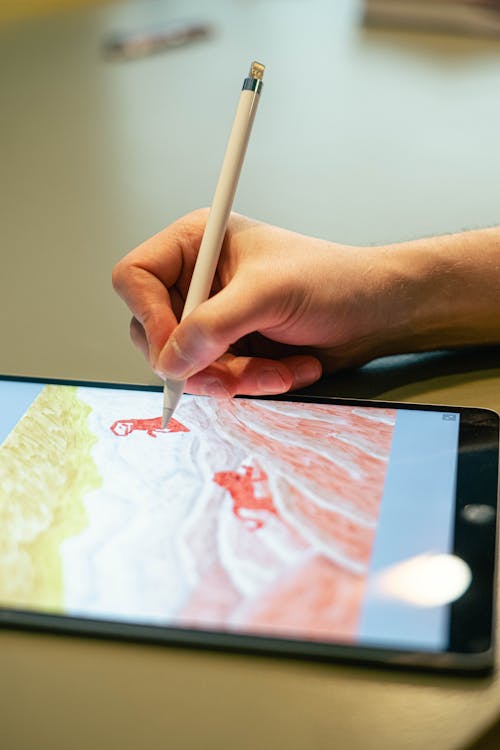
| iPad Air + Apple Pencil | Standalone | 10.9” | N/A | Best portable | $$$$ | View on Amazon |
Screen vs. Non-Screen Tablets: Which Do You Need?
Before diving into individual reviews, you need to understand the fundamental choice: non-screen tablets (where you draw on a pad while looking at your monitor) vs. screen tablets (where you draw directly on the display).
Non-screen tablets (like the Wacom Intuos) have a learning curve — your hand moves on the pad while your eyes watch the monitor. Most artists adapt within 1–2 weeks. The advantage is cost: a great non-screen tablet costs $80–150 versus $250–1,500+ for screen tablets. They are also lighter, more portable, and never suffer from parallax (the gap between where your pen tip touches and where the cursor appears).
Screen tablets (like the Wacom Cintiq or Huion Kamvas) feel like drawing on paper. There is almost no learning curve. The trade-off is price and the fact that your hand blocks part of the screen while drawing — something manga artists deal with in traditional media too, so it may actually feel more natural.
Our recommendation: If you are new to digital art and on a tight budget, start with a non-screen tablet. If you can afford $200+, go directly to a screen tablet — the time you save not fighting the hand-eye disconnect is worth the investment.
1. Wacom Intuos Medium (CTL6100) — Best for Beginners
Our Pick: Best non-screen tablet overall.
The Wacom Intuos Medium is the industry standard entry-level tablet for good reason. Wacom invented the modern drawing tablet, and their pen technology is the benchmark every competitor tries to match.
The Intuos M has an 8.5 x 5.3 inch active area — large enough for comfortable manga illustration without taking over your desk. The pen is battery-free, lightweight, and has 4,096 levels of pressure sensitivity. For manga-style inking, this is more than enough. The difference between 4,096 and 16,384 levels is essentially imperceptible for linework.
Driver support is where Wacom truly shines. Their drivers are the most stable and compatible in the industry. Every major drawing application — Clip Studio Paint, Photoshop, Procreate, Krita — works flawlessly with Wacom tablets out of the box.
What we like:
- Industry-leading pen accuracy and feel
- Rock-solid driver support across all platforms
- Battery-free pen — never worry about charging
- Compact and portable
- Includes Clip Studio Paint 2-year license (some bundles)
What could be better:
- 4,096 pressure levels (competitors offer more, though it rarely matters)
- No screen — there is a learning curve
- The small version (S) is too cramped; the Medium is the minimum
Our verdict: The Wacom Intuos Medium is the safest choice for a beginner manga artist. It works with everything, feels great, and will last for years. If you are not sure whether digital manga is for you, this is the tablet to find out with.
➡️ Check current price on Amazon
2. Wacom Cintiq 16 — Best Professional Tablet
Our Pick: Best screen tablet for serious manga artists.
The Wacom Cintiq 16 is the entry point to Wacom’s professional pen display line. A 15.6-inch IPS display with 1920x1080 resolution, 8,192 pressure levels, and Wacom’s Pro Pen 2 technology. Drawing on it feels remarkably close to paper.
For manga creation, the 16-inch screen is ideal — large enough to see full pages at working resolution without the desk footprint of a 22 or 24-inch display. The anti-glare surface has a slight tooth that gives pen strokes a paper-like resistance. Color accuracy is good (not great — this is not a color-critical photo editing display), but for manga line art, it is perfect.
The parallax on the Cintiq 16 is minimal — the cursor appears very close to where your pen tip touches. This matters more than you might think. Cheap screen tablets with poor parallax feel like drawing through glass. The Cintiq feels like drawing on the screen.
What we like:
- Wacom Pro Pen 2 — best pen technology in the industry
- Minimal parallax — drawing feels precise and natural
- 15.6” is the sweet spot for manga page layout
- Excellent build quality — all-metal back, sturdy stand
- Works with every drawing application without issues
What could be better:
- The most expensive option in this guide
- Included stand is basic — an adjustable arm is recommended
- No touch input (pen only)
- Full HD resolution — fine for manga, but not 4K
Our verdict: If you are serious about manga and plan to create digitally for years, the Wacom Cintiq 16 is worth the investment. It is the tablet professional manga artists actually use. The price is high, but you get tools that never fight you.
➡️ Check current price on Amazon
3. Huion Kamvas 13 (Gen 3) — Best Value Screen Tablet
Our Pick: Best screen tablet under $300.
The Huion Kamvas 13 Gen 3 is the tablet that made screen tablets accessible to students and hobbyists. A 13.3-inch full-laminated IPS display, 16,384 pressure levels, and a price point roughly half that of the Wacom Cintiq 16.
Full lamination means the display glass sits directly on the LCD panel with no visible air gap. This reduces parallax significantly compared to older Huion models. The result is a drawing experience that feels much closer to the Cintiq than the price difference suggests.
Huion has also improved their drivers dramatically in recent years. While not quite at Wacom’s level of universality, the Kamvas 13 works reliably with Clip Studio Paint, Photoshop, Krita, and most major applications.
What we like:
- Full-laminated display — excellent parallax performance
- 16,384 pressure levels (highest on this list)
- Battery-free pen with tilt support
- Significantly cheaper than Wacom equivalents
- Compact 13.3” size is great for desk space
What could be better:
- Driver compatibility is good but not Wacom-level
- Color accuracy is adequate, not professional-grade
- The pen feels slightly less refined than Wacom’s Pro Pen 2
- Included cables can be finicky on some laptops
Our verdict: The Huion Kamvas 13 Gen 3 is the best screen tablet for manga artists on a budget. You get 80% of the Cintiq experience at 50% of the price. The full-laminated display makes inking feel accurate and responsive. If the Cintiq is out of budget, this is the one.
➡️ Check current price on Amazon
4. XP-Pen Artist 12 (2nd Gen) — Best Budget Screen Tablet
The XP-Pen Artist 12 2nd Gen is the cheapest screen tablet we can recommend with a clear conscience. At under $200, you get an 11.9-inch fully-laminated display with 8,192 pressure levels and a design that punches above its price class.
The screen is slightly smaller than the Kamvas 13 (11.9 vs. 13.3 inches), which is noticeable when laying out full manga pages but perfectly adequate for individual panels and illustration work. The pen is lightweight and comfortable, though it does not have the weighted, premium feel of Wacom’s offerings.
What we like:
- Cheapest full-laminated screen tablet worth buying
- 8 customizable shortcut keys built into the frame
- Lightweight and portable
- Works with Clip Studio Paint, Photoshop, Krita
- The included carrying case is a nice touch
What could be better:
- 11.9” screen feels small for full manga pages
- Color gamut is limited (not ideal for color illustration)
- Stand is basic — consider a separate tablet stand
Our verdict: If your budget is firm at $200 or less and you want a screen tablet, the XP-Pen Artist 12 is the way to go. It is a real drawing tool, not a toy, and many manga artists have produced professional work on it.
➡️ Check current price on Amazon
5. Huion Inspiroy H640P — Best Ultra-Budget Option
The Huion Inspiroy H640P is proof that you can start creating digital manga for under $50. It is a non-screen tablet with 8,192 pressure levels, 6 express keys, and a compact footprint that fits on any desk.
At this price, compromises are expected. The active area (6.3 x 3.9 inches) is small — adequate for quick sketching and inking individual panels, but cramped for full-page layout work. The pen is basic but functional, and the drivers work well with Clip Studio Paint and Krita.
What we like:
- Under $50 — removes every financial barrier to digital manga
- 8,192 pressure levels — more than the Wacom Intuos
- Battery-free pen
- Lightweight and ultra-portable
What could be better:
- Small active area limits comfortable working space
- Build quality is functional, not premium
- The pen lacks an eraser end
Our verdict: The H640P is the tablet to buy when you want to try digital manga without committing real money. If you discover you love digital art, upgrade to a screen tablet. If not, you spent less than a dinner out.
➡️ Check current price on Amazon
6. iPad Air + Apple Pencil 2 — Best Portable Option
The iPad Air with Apple Pencil 2 is not a traditional drawing tablet — it is a standalone device that does not need a computer at all. Paired with Clip Studio Paint for iPad or Procreate, it becomes one of the most versatile manga creation tools available.
The Apple Pencil 2 has no detectable lag, charges magnetically on the iPad, and has tilt sensitivity. The 10.9-inch screen is fully laminated with excellent color accuracy. For drawing on the go — commutes, cafes, or just the couch — nothing else compares.
The limitation is software: Clip Studio Paint on iPad requires a subscription (not a one-time purchase like the desktop version), and some advanced manga production features like multi-page management are less fluid than the desktop version. For sketching, inking, and illustration, it is outstanding. For full professional manga production, most artists still prefer a computer-connected tablet.
What we like:
- Completely portable — create manga anywhere
- Apple Pencil 2 is the best stylus ever made (in our opinion)
- No computer needed
- Beautiful display with perfect color accuracy
- Procreate is a one-time $13 purchase
What could be better:
- Expensive when you factor in iPad + Pencil + app costs
- Clip Studio Paint requires subscription on iPad
- 10.9” screen is small for manga page layout
- File management between iPad and desktop is an extra step
Our verdict: If portability is your priority, the iPad Air is unbeatable. Many manga artists use it for sketching and rough drafts, then move to a desktop tablet for final inks. As a standalone manga creation device for hobbyists, it is excellent.
➡️ Check current price on Amazon
Drawing Tablet Buying Guide for Manga Artists
What Software Will You Use?
The tablet matters less than the software. Clip Studio Paint is the industry standard for manga — it has dedicated manga tools (panel rulers, tone layers, speech bubbles) that no other app matches. Make sure your tablet is compatible with your chosen software before buying.
How Big Should the Active Area Be?
For manga page layout (arranging panels, drawing full pages), bigger is better. A 13-inch or larger screen tablet, or a medium non-screen tablet, is the minimum for comfortable page work. For character illustration and individual panels, smaller tablets work fine.
Do Pressure Levels Matter?
4,096 levels is the practical minimum. 8,192 is the sweet spot. 16,384 exists mainly for marketing — the difference between 8K and 16K levels is not perceptible in normal use. Do not choose a tablet based on pressure levels alone.
Budget Recommendation by Skill Level
- Just starting out: Huion Inspiroy H640P ($40-50) or Wacom Intuos M ($100-150)
- Committed hobbyist: Huion Kamvas 13 Gen 3 ($200-250) or XP-Pen Artist 12 ($150-200)
- Professional: Wacom Cintiq 16 ($350-650)
- Portable creator: iPad Air + Apple Pencil ($650-800 total)
For more manga art tools, check out our recommended art supplies and our full guide on how to become a mangaka.
Frequently Asked Questions
What drawing tablet do professional manga artists use?
Most professional manga artists in Japan use Wacom Cintiq tablets (16” or 22”). Clip Studio Paint is the dominant software. Some younger artists have switched to iPad Pro for portability, but Wacom remains the studio standard.
Can I draw manga on a cheap tablet?
Absolutely. The Huion Inspiroy H640P costs under $50 and is capable of producing professional-quality manga line art. The tablet is a tool — your skill and practice matter far more than the hardware you use.
Is Wacom worth the extra money over Huion or XP-Pen?
For beginners, no — Huion and XP-Pen offer comparable performance at lower prices. For professionals who rely on their tablet daily, Wacom’s superior driver stability, pen accuracy, and build quality justify the premium.
Do I need a screen tablet for manga?
No. Many excellent manga artists work on non-screen tablets. The learning curve takes 1-2 weeks, and after that, a non-screen tablet is just as productive. Screen tablets feel more intuitive but are not technically superior for the final output.
Our Final Recommendation
For most aspiring manga artists, we recommend the Huion Kamvas 13 Gen 3 as the best overall value. It is a real screen tablet at an accessible price, and the full-laminated display makes inking feel precise.
If budget is tight: Wacom Intuos Medium — bulletproof reliability under $150.
If money is no object: Wacom Cintiq 16 — the professional standard.
Now stop researching tablets and start drawing.
Related Articles

Manga Inking Techniques: Pen, Brush, and Digital Methods Explained
Learn professional manga inking techniques. Master G-pen, maru pen, brush inking, and digital inking workflows used by real mangaka.
Best Apps to Read Manga in 2025: Free and Paid Options Compared
Find the best manga reading apps for 2025. Compare Manga Plus, Viz, Shonen Jump, Crunchyroll Manga, and more with prices, libraries, and features.

7 Best Manga Box Sets Worth Buying in 2026 (Reviewed & Compared)
We tested and compared the 7 best manga box sets on Amazon. Full reviews with pros, cons, and our honest opinion on which box set is worth your money.
